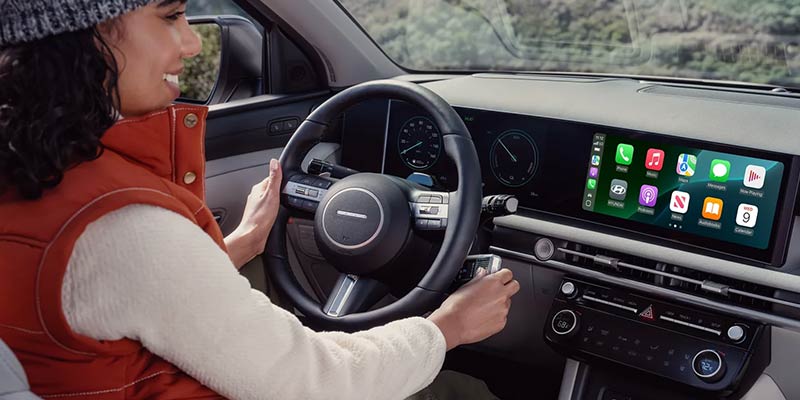



Modern vehicles are more than just a means of transportation—they are technology hubs designed to keep you connected and entertained on the go. The Hyundai infotainment system exemplifies this transformation, offering cutting-edge features that enhance the driving experience. From seamless integration with smartphones through Apple CarPlay and Android Auto to advanced navigation and media controls, Hyundai's touch screen setup is designed with user convenience in mind. Whether you're driving through Medford, NY, or planning a road trip, the Hyundai infotainment system ensures you stay connected without compromising safety or comfort. With its intuitive interface and advanced capabilities, the system bridges the gap between modern life and the open road. Exploring Hyundai BlueLink Integration One of the standout Hyundai tech features is BlueLink, a connected car service that elevates your driving experience. BlueLink allows you to remotely start your vehicle, lock or unlock doors, and even adjust climate settings—all through your smartphone or compatible device. This feature also provides real-time diagnostics, helping drivers stay informed about their vehicle’s health. For residents in Medford, NY, BlueLink's remote start feature is especially useful during chilly winters and hot summers, letting you pre-condition your Hyundai before stepping inside. Additionally, the app's navigation functionality integrates with the Hyundai infotainment system, making route planning and traffic updates more accessible than ever. Setting Up Apple CarPlay and Android Auto Hyundai understands the importance of staying connected, which is why its infotainment system comes equipped with both Apple CarPlay and Android Auto. These features allow you to seamlessly connect your smartphone to your vehicle, providing access to music, messages, navigation, and more—all through the Hyundai touch screen setup. Setting up these features is straightforward. Simply connect your device using a USB cable and follow the on-screen prompts. Once linked, you can enjoy hands-free calls, voice-activated navigation, and access to your favorite apps. Whether you're navigating the streets of Medford, NY, or streaming music on a long drive, Apple CarPlay and Android Auto enhance your journey. Hyundai 112: Your Local Tech Experts At Hyundai 112 in Medford, NY, we understand that mastering your vehicle’s tech features can be overwhelming. That’s why our team is here to assist you with all aspects of the Hyundai infotainment system. From syncing your smartphone to exploring advanced settings, our tech guide helps you get the most out of your vehicle. Our dealership also offers personalized tutorials on using Hyundai BlueLink, customizing your touch screen, and troubleshooting common issues. We aim to ensure every driver feels confident and informed when using their Hyundai 112 infotainment systems. Contact us today with any questions!